
DediGames® Box
The ultimate solution for your game servers with Experimental In-Game Wardrobe
DediGames® Box
One Box for all your servers- ✓Multiple games and servers on the same Box
- ✓RAM: from 2GB to 128GB
- ✓Complete panel, real-time statistics (5s)
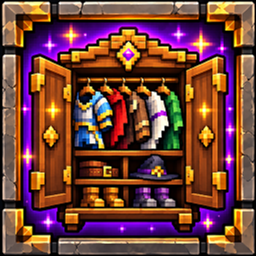
Customize your Hytale character with the Experimental In-Game Wardrobe plugin. Change hairstyles, outfits, and appearance directly during multiplayer gameplay. Saved appearance updates can persist between sessions for a more personalized roleplay experience. Host your Hytale server with VeryGames and give players greater control over their in-game identity.
View on CurseForgeHow to create a server with Experimental In-Game Wardrobe ?
- Access the control panel on VeryGames.
- Click on addons cards.
- Click available addons.
- Search for Experimental In-Game Wardrobe.
- Click install.
How to update Experimental In-Game Wardrobe ?
Updating Experimental In-Game Wardrobe is very simple, follow the steps below:
- Access the control panel on VeryGames.
- Click on addons cards.
- Click installed addons.
- Search for Experimental In-Game Wardrobe.
- Click update.
- Select the new version of Experimental In-Game Wardrobe and click on change version now.
VeryGames versions of Experimental In-Game Wardrobe
The addition of a new version is done automatically when it is made available by its creator.
If a version is not available, it is because it is not stable or incompatible with the servers. If you have any doubts about a version, do not hesitate to contact our support.
Here is the list of versions available of Experimental In-Game Wardrobe.
| Version (5) | Release at |
|---|
Experimental_Wardrobe_v_1_9_30 | 10/28/2026, 05:34:28 PM |
Experimental_Wardrobe_v_1_9_24 | 10/28/2026, 01:55:33 AM |
Experimental_Wardrobe_v_1_9_19.jar | 10/27/2026, 10:17:09 PM |
Experimental_Wardrobe_v_1_9_15 | 10/27/2026, 09:21:10 PM |
Experimental_Wardrobe_v_1_9_7 | 10/27/2026, 04:27:14 AM |
DediGames® Box
The ultimate solution for your game servers with Experimental In-Game Wardrobe
DediGames® Box
One Box for all your servers- ✓Multiple games and servers on the same Box
- ✓RAM: from 2GB to 128GB
- ✓Complete panel, real-time statistics (5s)