DediGames® Box
The ultimate solution for your Minecraft game servers with Deafbard Wonderland modpack
DediGames® Box
One Box for all your servers- ✓Multiple games and servers on the same Box
- ✓RAM: from 2GB to 128GB
- ✓Complete panel, real-time statistics (5s)
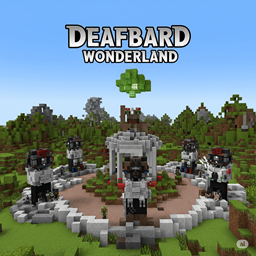
Unleash your potential in deafbard wonderland, a realm where chaos meets opportunity. Choose your destiny with two unique paths: master the art of machinery as a Machinist, creating automated factories and advanced energy networks, or wield cosmic power as an Arcanist, crafting spells and summoning magical allies. Explore a beautifully revamped world filled with challenging bosses, breathtaking visuals, and quality-of-life enhancements. With the support of VeryGames, embark on an unforgettable journey to shape and conquer this dynamic universe!
View on CurseForgeHow to install Deafbard Wonderland ?
To install the client version of the modpack Deafbard Wonderland on your computer, follow these steps:
- Download and install a launcher compatible with Deafbard Wonderland.
- Launch the software
- Access the Mods or Modpacks section.
- Search forDeafbard Wonderland.
- Select the version corresponding to the server you want to connect to, then install it.
- Once the installation is complete, the modpack will be available in the launcher. Click on it to start it.
How to create a server Deafbard Wonderland ?
Select the modpack Deafbard Wonderland on your Minecraft panel. To install it, follow the steps below :
- Access the control panel on VeryGames.
- Click on create a new installation
- Select Deafbard Wonderland in the section type.
- Choose the version you want to install in the section version
- Click on create
- Tadam! After a few seconds of waiting, your server is installed on the modpack Deafbard Wonderland.
How to update Deafbard Wonderland ?
Updating Deafbard Wonderland is very simple, follow the steps below:
- Access the control panel on VeryGames.
- Click on Addons.
- In the table, search for the modpack Deafbard Wonderland and click on the update button.
- Select the new version of Deafbard Wonderland and click on change version now.
- Tadam! After a few seconds of waiting, your server is updated on the modpack Deafbard Wonderland version you choose.
VeryGames versions of Deafbard Wonderland
The addition of a new version is done automatically when it is made available by its creator.
If a version is not available, it is because it is not stable or incompatible with the servers. If you have any doubts about a version, do not hesitate to contact our support.
Here is the list of versions available of Deafbard Wonderland.
| Version (2) | Release at | Modloader |
|---|
0.0.4-c Minecraft 21.1.185 | 07/08/2025, 06:16:54 AM | NeoForge 21.1.185 |
0.0.2-c Minecraft 21.1.185 | 06/27/2025, 09:30:21 PM | NeoForge 21.1.185 |
DediGames® Box
The ultimate solution for your Minecraft game servers with Deafbard Wonderland modpack
DediGames® Box
One Box for all your servers- ✓Multiple games and servers on the same Box
- ✓RAM: from 2GB to 128GB
- ✓Complete panel, real-time statistics (5s)