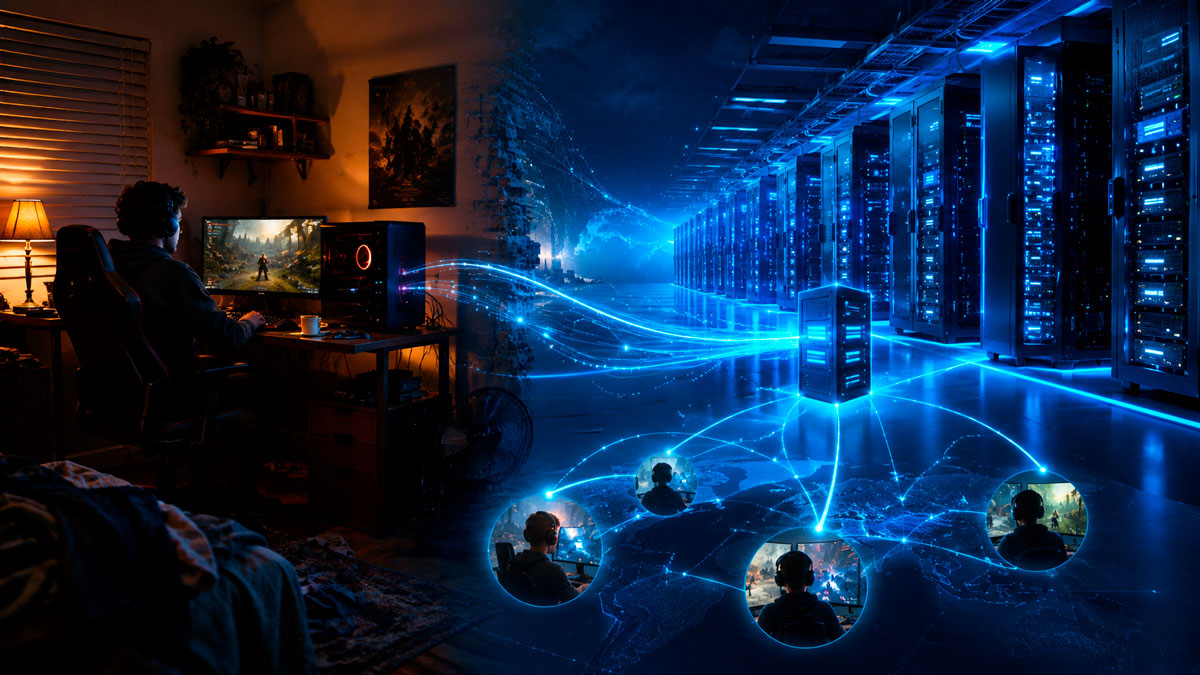
Dedicated Game Server vs Home PC: Which Is Better for Multiplayer Hosting?
Leaving a spare computer running at home may seem like the simplest way to host a multiplayer game. It can work for a small private session, but once a world must remain accessible every day, support several players and survive updates or connection problems, the limitations of home hosting quickly become visible.
A professionally hosted dedicated game server is designed around a different priority: the server exists only to keep the multiplayer experience available, responsive and manageable. It does not need to share a gaming PC with Windows applications, streaming software, downloads or the game client itself.
That does not mean self-hosting is always a bad choice, or that a rented server automatically guarantees zero lag. The real question is whether your home setup can provide the same consistency, availability and maintenance tools as infrastructure built specifically for online services.
First, What Does “Dedicated Game Server” Actually Mean?
In multiplayer gaming, a dedicated server is a server process that runs independently from a player’s game client. No player needs to remain connected as the host, and the shared world can continue running even when everyone has logged out.
This is slightly different from saying that an entire physical machine belongs to one customer. Depending on the hosting product, resources may be allocated through a managed environment, a virtualized server or a physical machine. What matters to players is that the game server has clearly assigned resources and is not dependent on someone actively playing from the same computer.
Important distinction: installing dedicated-server software on an old PC is still self-hosting. The software may be dedicated, but its electricity supply, Internet connection, security and maintenance remain your responsibility.
1. Consistent Performance Matters More Than a Powerful Specification Sheet
A home gaming PC may have an excellent processor and plenty of memory, but that does not guarantee stable server performance. If the same machine is also running the game, a browser, voice chat, recording tools, cloud synchronization or background updates, all these tasks compete for processor time, memory, storage access and network bandwidth.
This competition is especially noticeable in simulation, survival and sandbox games. Large maps, persistent creatures, automated production systems, physics calculations, mods and many connected players can keep the server busy even when the host is standing still.
Professional game hosting separates those workloads. The server’s resources are used for hosting rather than rendering graphics for the local player. This usually produces more predictable tick rates, fewer slowdowns during busy moments and a better experience when several players connect at once.
Home PC
Server resources may fluctuate when the owner launches a game, downloads files, streams or installs updates.
Dedicated Hosting
Resources are allocated to the hosting environment, making server behaviour easier to monitor and predict.
2. Your Internet Connection Is Just as Important as the Processor
Many players look only at their download speed when deciding whether they can host a game. For a server, upload capacity is just as important. The machine must continuously send world data, player positions, inventories, physics information and status updates to every connected client.
A fast fibre connection can be suitable for a small server, but raw speed is not the only factor. Household Internet access is shared with televisions, phones, cloud backups, video calls and downloads. A temporary saturation, router restart or provider outage can disconnect every player from the server.
Professional hosting uses network infrastructure designed to carry continuous server traffic. It also lets administrators select a hosting location closer to the majority of their community, reducing the physical distance that data must travel.
Does a dedicated server always lower ping? Not automatically. Latency still depends on the distance between the players and the datacenter, the quality of each player’s Internet provider and the route taken across the network. The main advantage is usually a more stable and better-connected central host.
For an international community, choosing a central hosting region is often fairer than making every player connect to one member’s home. The host’s own gameplay also stops receiving an artificial advantage from being on the same local network as the server.
3. A Persistent World Should Not Depend on One Player’s Computer
When a server runs on a personal computer, the multiplayer world depends on that computer remaining powered on, connected and healthy. A Windows restart, router update, accidental shutdown, power cut or hardware problem immediately takes the server offline.
This is manageable for an occasional evening with friends. It becomes frustrating when several people play at different times, when a community spans multiple time zones or when background systems continue to operate while players are offline.
Dedicated hosting removes the need for one person to be the permanent gatekeeper. Players can join without asking the owner to start a PC, and administrators can restart or configure the server remotely through a control panel.
4. The Hidden Electricity Cost of Leaving a PC Running 24/7
Self-hosting is often described as free because there is no monthly rental invoice. In practice, the computer still consumes electricity, produces heat and experiences wear. The real cost depends on the machine’s measured power draw and the local electricity price.
The calculation is simple: power in watts × hours used ÷ 1,000 = kilowatt-hours. For a machine running continuously for 30 days, the monthly consumption looks like this:
| Average power draw | Monthly consumption | Annual consumption |
|---|---|---|
| 80 W | 57.6 kWh | 700.8 kWh |
| 150 W | 108 kWh | 1,314 kWh |
| 250 W | 180 kWh | 2,190 kWh |
These examples show energy consumption, not the final price. Multiply the kWh figure by your electricity tariff to estimate the cost. Measure the computer at the wall for a more accurate result.
A small, efficient home server may consume much less than a gaming tower. Conversely, a powerful desktop left running with a high-end processor, graphics card, several drives and inefficient idle settings can cost more than expected. Professional hosting turns these variable household costs into a predictable subscription and removes the heat and noise from your home.
5. Maintenance, Backups and Security Are Part of Performance
Performance is not only measured in frames, processor usage or ping. A server that loses its save, remains offline after an update or becomes inaccessible because of a configuration error is not delivering a good experience.
With a self-hosted server, the owner must handle every operational task:
- installing and updating the game server;
- opening and forwarding the correct router ports;
- creating backups and checking that they can be restored;
- monitoring processor, memory, disk and network usage;
- recovering the server after a crash or failed update;
- protecting the home network and keeping the operating system secure.
A managed game-hosting platform centralizes many of these tasks. VeryGames’ DediGames® Box, for example, combines multi-game and multi-server hosting with a management panel, automatic updates, automatic backups, scheduled tasks, FTP access, real-time monitoring and DDoS protection.
DDoS protection is particularly relevant for public communities. Hosting from home can expose the residential connection to malicious traffic, potentially affecting every device in the household. Professional mitigation is designed to absorb or filter attacks before they overwhelm the game server’s connection.
6. Home Hosting or Dedicated Hosting: Which Should You Choose?
The right answer depends on the size of the group, the game, the expected uptime and the amount of technical work the administrator is comfortable doing.
Self-hosting can be enough when…
- the server is only used occasionally;
- a few trusted friends play at the same time;
- 24/7 availability is not required;
- the home connection has sufficient upload capacity;
- the owner enjoys managing hardware, networking and backups.
Dedicated hosting is better suited when…
- the world must remain online day and night;
- players connect from different homes or countries;
- the server uses mods, plugins or a large persistent world;
- backups and remote administration are important;
- the community needs predictable performance and room to grow.
Frequently Asked Questions About Dedicated Game Servers
Can I host a game server on my own PC?
Yes. Many games provide dedicated-server software that can run on a home computer. It is a practical option for testing or occasional private sessions, provided the machine, upload connection and router configuration are suitable.
Will a dedicated server completely remove lag?
No hosting solution can remove every source of lag. Player distance, mods, game optimization, world complexity and individual Internet connections still matter. Dedicated hosting mainly improves consistency and removes the host player’s PC and residential connection from the equation.
Does a game server need a graphics card?
Most dedicated game-server applications do not render the game world like a player’s PC, so a powerful graphics card is usually unnecessary. Processor performance, memory, storage and network quality are generally more important, although requirements vary by game.
When should a community move away from home hosting?
The move becomes useful when players expect 24/7 access, the world grows, mods increase resource usage, the administrator needs automatic backups, or outages and restarts on the home PC begin disrupting the group.
A Better Server Is Mostly About Consistency
A powerful home PC can host a game successfully. The limitation is rarely one component in isolation. It is the combination of shared resources, residential networking, electricity use, maintenance duties and dependence on a single household.
Dedicated game hosting solves that problem by moving the shared world to infrastructure intended to remain online. Players gain a neutral meeting point, administrators gain remote tools, and the gaming PC can return to doing what it does best: running the game.
Move your multiplayer worlds to a DediGames® Box
Host several supported game servers from one centralized panel, with automatic backups, updates, monitoring and DDoS protection.