DediGames® Box
La soluzione definitiva per i tuoi server di gioco Minecraft con Immersive Experience - Inspired by Actions & Stuff and Other Mods modpack
DediGames® Box
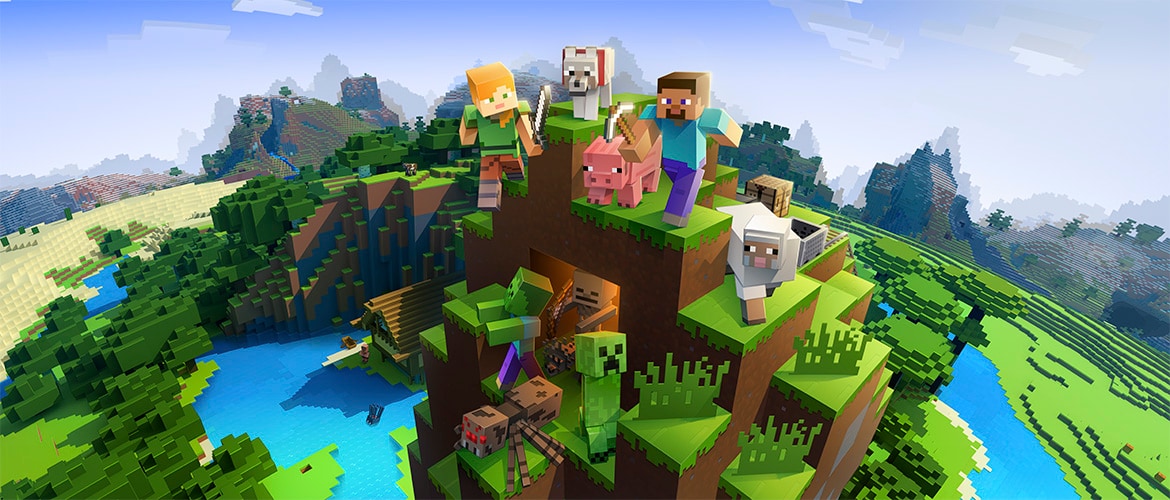
Eleva la tua esperienza di Minecraft con il modpack Vanilla+ Immersion, disponibile attraverso VeryGames. Questo modpack sapientemente realizzato arricchisce il gameplay classico con visuali straordinarie, audio coinvolgente e animazioni fluide, mantenendo al contempo l'essenza del Minecraft vanilla. Goditi ambienti vibranti, effetti particellari realistici e paesaggi sonori dinamici che danno vita a ogni avventura. Perfetto per mondi multiplayer, Vanilla+ Immersion garantisce un'esperienza equilibrata e piacevole che arricchisce l'esplorazione e la creatività. Immergiti in una nuova dimensione di gameplay e connettiti con i tuoi amici oggi stesso!
Visualizza su CurseForgeCome installare Immersive Experience - Inspired by Actions & Stuff and Other Mods ?
Per installare la versione client del modpack Immersive Experience - Inspired by Actions & Stuff and Other Mods sul tuo computer, segui questi passaggi:
- Scarica e installa un launcher compatibile con Immersive Experience - Inspired by Actions & Stuff and Other Mods.
- Avvia il software
- Accedi alla sezione Mods o Modpacks.
- CercaImmersive Experience - Inspired by Actions & Stuff and Other Mods.
- Seleziona la versione corrispondente al server a cui vuoi connetterti, quindi installala.
- Una volta completata l'installazione, il modpack sarà disponibile nel launcher. Fai clic su di esso per avviarlo.
Come creare un server Immersive Experience - Inspired by Actions & Stuff and Other Mods ?
Seleziona il modpack Immersive Experience - Inspired by Actions & Stuff and Other Mods sul tuo pannello di Minecraft. Per installarlo, segui i passaggi seguenti :
- Accedi al pannello di controllo su VeryGames.
- Fai clic su crea una nuova installazione
- Seleziona Immersive Experience - Inspired by Actions & Stuff and Other Mods nella sezione tipo.
- Scegli la versione che vuoi installare nella sezione versione
- Fai clic su installa.
- Tadam! Dopo pochi secondi di attesa, il tuo server è installato sul modpack Immersive Experience - Inspired by Actions & Stuff and Other Mods.
Come aggiornare Immersive Experience - Inspired by Actions & Stuff and Other Mods ?
Aggiornare Immersive Experience - Inspired by Actions & Stuff and Other Mods è molto semplice, segui i passaggi qui sotto :
- Accedi al pannello di controllo su VeryGames.
- Fai clic su Addons.
- Nella tabella, cerca il modpack Immersive Experience - Inspired by Actions & Stuff and Other Mods e clicca sul pulsante di aggiornamento.
- Seleziona la nuova versione di Immersive Experience - Inspired by Actions & Stuff and Other Mods e clicca su cambia versione ora.
- Tadam! Dopo pochi secondi di attesa, il tuo server è aggiornato sul modpack Immersive Experience - Inspired by Actions & Stuff and Other Mods versione che scegli.
Versioni di VeryGames di Immersive Experience - Inspired by Actions & Stuff and Other Mods
L'aggiunta di una nuova versione avviene automaticamente quando viene resa disponibile dal suo creatore.
Se una versione non è disponibile, è perché non è stabile o incompatibile con i server. Se hai dubbi su una versione, non esitare a contattare il nostro supporto.
Ecco l'elenco delle versioni disponibili di Immersive Experience - Inspired by Actions & Stuff and Other Mods.
| Versione (55) | Rilasciata il | Modloader |
|---|
Immersive Experience - MC 1.21.11 - 1.0.0 Minecraft 21.11.37-beta | 13/03/2026, 19:11:18 | NeoForge 21.11.37-beta |
Immersive Experience - MC 1.21.10 - 7.0 Minecraft 21.10.64 | 13/03/2026, 19:06:14 | NeoForge 21.10.64 |
Immersive Experience - MC 1.21.10 - 6.5 Minecraft 21.10.64 | 06/03/2026, 17:27:25 | NeoForge 21.10.64 |
Immersive Experience - MC 1.21.10 - 6.4.0 Minecraft 21.10.64 | 20/02/2026, 19:51:04 | NeoForge 21.10.64 |
Immersive Experience - MC 1.21.10 - 6.3.0 Minecraft 21.10.64 | 10/02/2026, 00:12:57 | NeoForge 21.10.64 |
Immersive Experience - MC 1.21.10 - 6.2.0 Minecraft 21.10.64 | 05/02/2026, 19:18:43 | NeoForge 21.10.64 |
Immersive Experience - MC 1.21.10 - 6.1.0 Minecraft 21.10.64 | 04/02/2026, 17:26:15 | NeoForge 21.10.64 |
Immersive Experience - MC 1.21.11 - 0.9.0 Minecraft 21.11.37-beta | 28/01/2026, 15:31:06 | NeoForge 21.11.37-beta |
Immersive Experience - MC 1.21.11 - 0.8.0 Minecraft 21.11.34-beta | 17/01/2026, 18:01:38 | NeoForge 21.11.34-beta |
Immersive Experience - MC 1.21.10 - 6.0.0 Minecraft 21.10.64 | 17/01/2026, 17:39:44 | NeoForge 21.10.64 |