DediGames® Box
The ultimate solution for your game servers with Eclipse Forged Armor & Weapons
DediGames® Box
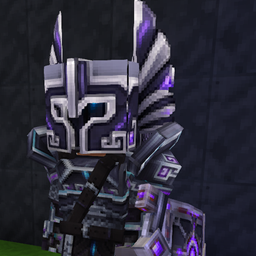
Eclipse Forged adds stylish Hytale armor and weapons with obsidian metal, silver details, gemstone inlays, and eclipse-inspired designs. Choose from six color finishes, including violet, emerald, ruby, orange, neon yellow, and black silver. Equip helmets, chestplates, gauntlets, leggings, swords, axes, spears, shields, daggers, and bows with matching icons and cosmetic particles. Designed around Hytale’s Mithril gear shapes and combat balance, this custom content expands Creative mode without replacing default equipment. Host a unique Hytale multiplayer experience with VeryGames and bring fresh style to survival, PvP, PvE, and roleplay gameplay.
View on CurseForgeHow to create a server with Eclipse Forged Armor & Weapons ?
- Access the control panel on VeryGames.
- Click on addons cards.
- Click available addons.
- Search for Eclipse Forged Armor & Weapons.
- Click install.
How to update Eclipse Forged Armor & Weapons ?
Updating Eclipse Forged Armor & Weapons is very simple, follow the steps below :
- Access the control panel on VeryGames.
- Click on addons cards.
- Click installed addons.
- Search for Eclipse Forged Armor & Weapons.
- Click update.
- Select the new version of Eclipse Forged Armor & Weapons and click on change version now.
VeryGames versions of Eclipse Forged Armor & Weapons
The addition of a new version is done automatically when it is made available by its creator.
If a version is not available, it is because it is not stable or incompatible with the servers. If you have any doubts about a version, do not hesitate to contact our support.
Here is the list of versions available of Eclipse Forged Armor & Weapons.
| Version (1) | Release at |
|---|
Eclipseforged | 10/24/2026, 12:47:27 AM |