DediGames® Box
The ultimate solution for your game servers with Tempest Crates – Animated Loot Crates & Keys
DediGames® Box
One Box for all your servers- ✓Multiple games and servers on the same Box
- ✓RAM: from 2GB to 128GB
- ✓Complete panel, real-time statistics (5s)
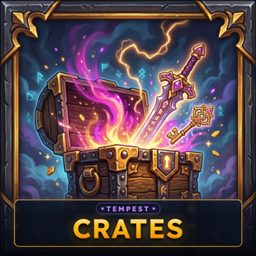
Enhance your Hytale server with an interactive crate plugin featuring animated chests, prize reveals, rarity tiers, keys, and configurable rewards. Create custom crates for survival, PvE, PvP, roleplay, quests, progression, and server economy gameplay, with items, currency, and command-based prizes. Add seasonal crates, rank-locked rewards, visible odds, holographic displays, rare-win announcements, and multilingual multiplayer experiences. With VeryGames hosting, build engaging Hytale multiplayer content that rewards exploration, competition, and long-term player progression.
View on CurseForgeHow to create a server with Tempest Crates – Animated Loot Crates & Keys ?
- Access the control panel on VeryGames.
- Click on addons cards.
- Click available addons.
- Search for Tempest Crates – Animated Loot Crates & Keys.
- Click install.
How to update Tempest Crates – Animated Loot Crates & Keys ?
Updating Tempest Crates – Animated Loot Crates & Keys is very simple, follow the steps below:
- Access the control panel on VeryGames.
- Click on addons cards.
- Click installed addons.
- Search for Tempest Crates – Animated Loot Crates & Keys.
- Click update.
- Select the new version of Tempest Crates – Animated Loot Crates & Keys and click on change version now.
VeryGames versions of Tempest Crates – Animated Loot Crates & Keys
The addition of a new version is done automatically when it is made available by its creator.
If a version is not available, it is because it is not stable or incompatible with the servers. If you have any doubts about a version, do not hesitate to contact our support.
Here is the list of versions available of Tempest Crates – Animated Loot Crates & Keys.
| Version (2) | Release at |
|---|
Crates-1.1.1 | 10/28/2026, 01:14:38 AM |
Crates-1.1.0 | 10/25/2026, 04:36:02 PM |
DediGames® Box
The ultimate solution for your game servers with Tempest Crates – Animated Loot Crates & Keys
DediGames® Box
One Box for all your servers- ✓Multiple games and servers on the same Box
- ✓RAM: from 2GB to 128GB
- ✓Complete panel, real-time statistics (5s)