DediGames® Box
The ultimate solution for your Minecraft game servers with HIGH NOON - Zombie Apocalypse modpack
DediGames® Box
One Box for all your servers- ✓Multiple games and servers on the same Box
- ✓RAM: from 2GB to 128GB
- ✓Complete panel, real-time statistics (5s)
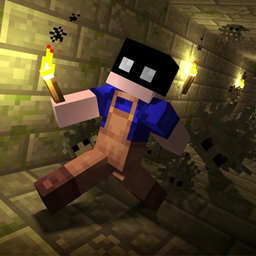
Experience the ultimate survival challenge with this carefully crafted modpack that transforms your Minecraft gameplay into an intense zombie apocalypse. Immerse yourself in a world where only vanilla zombies reign—smarter, blood-tracking, and relentless. Enjoy enhanced transportation options, realistic animations, and unique lunar events that bring new challenges. With better explosions and quality-of-life tweaks, every session offers an engaging adventure. Host your server with VeryGames and conquer the undead with friends!
View on CurseForgeHow to install HIGH NOON - Zombie Apocalypse ?
To install the client version of the modpack HIGH NOON - Zombie Apocalypse on your computer, follow these steps:
- Download and install a launcher compatible with HIGH NOON - Zombie Apocalypse.
- Launch the software
- Access the Mods or Modpacks section.
- Search forHIGH NOON - Zombie Apocalypse.
- Select the version corresponding to the server you want to connect to, then install it.
- Once the installation is complete, the modpack will be available in the launcher. Click on it to start it.
How to create a server HIGH NOON - Zombie Apocalypse ?
Select the modpack HIGH NOON - Zombie Apocalypse on your Minecraft panel. To install it, follow the steps below :
- Access the control panel on VeryGames.
- Click on create a new installation
- Select HIGH NOON - Zombie Apocalypse in the section type.
- Choose the version you want to install in the section version
- Click on create
- Tadam! After a few seconds of waiting, your server is installed on the modpack HIGH NOON - Zombie Apocalypse.
How to update HIGH NOON - Zombie Apocalypse ?
Updating HIGH NOON - Zombie Apocalypse is very simple, follow the steps below:
- Access the control panel on VeryGames.
- Click on Addons.
- In the table, search for the modpack HIGH NOON - Zombie Apocalypse and click on the update button.
- Select the new version of HIGH NOON - Zombie Apocalypse and click on change version now.
- Tadam! After a few seconds of waiting, your server is updated on the modpack HIGH NOON - Zombie Apocalypse version you choose.
VeryGames versions of HIGH NOON - Zombie Apocalypse
The addition of a new version is done automatically when it is made available by its creator.
If a version is not available, it is because it is not stable or incompatible with the servers. If you have any doubts about a version, do not hesitate to contact our support.
Here is the list of versions available of HIGH NOON - Zombie Apocalypse.
| Version (1) | Release at | Modloader |
|---|
HIGH NOON-1.0 Minecraft 1.20.1-47.4.0 | 08/12/2025, 08:45:53 PM | Forge 1.20.1-47.4.0 |
DediGames® Box
The ultimate solution for your Minecraft game servers with HIGH NOON - Zombie Apocalypse modpack
DediGames® Box
One Box for all your servers- ✓Multiple games and servers on the same Box
- ✓RAM: from 2GB to 128GB
- ✓Complete panel, real-time statistics (5s)